Free
Free
- 17 free sounds and 8 free ready-made mixes
- Unlock any premium sound for one play by watching a short video
- Sleep timer, fade-out and night light
- 1 saved mix
- Muted, family-friendly ads
Baby sleep sounds
Lullabies, womb sounds, rain and white noise that help your baby fall asleep and stay asleep. Mix up to 5 sounds, set a gentle sleep timer and let the room go quiet.
Features
Made around real nights with a newborn: one tap to start, gentle on the way out, nothing that wakes the baby.
40 sounds in four parent-friendly categories — from music boxes and heartbeat to rain, crickets, fans and the car ride that always works.
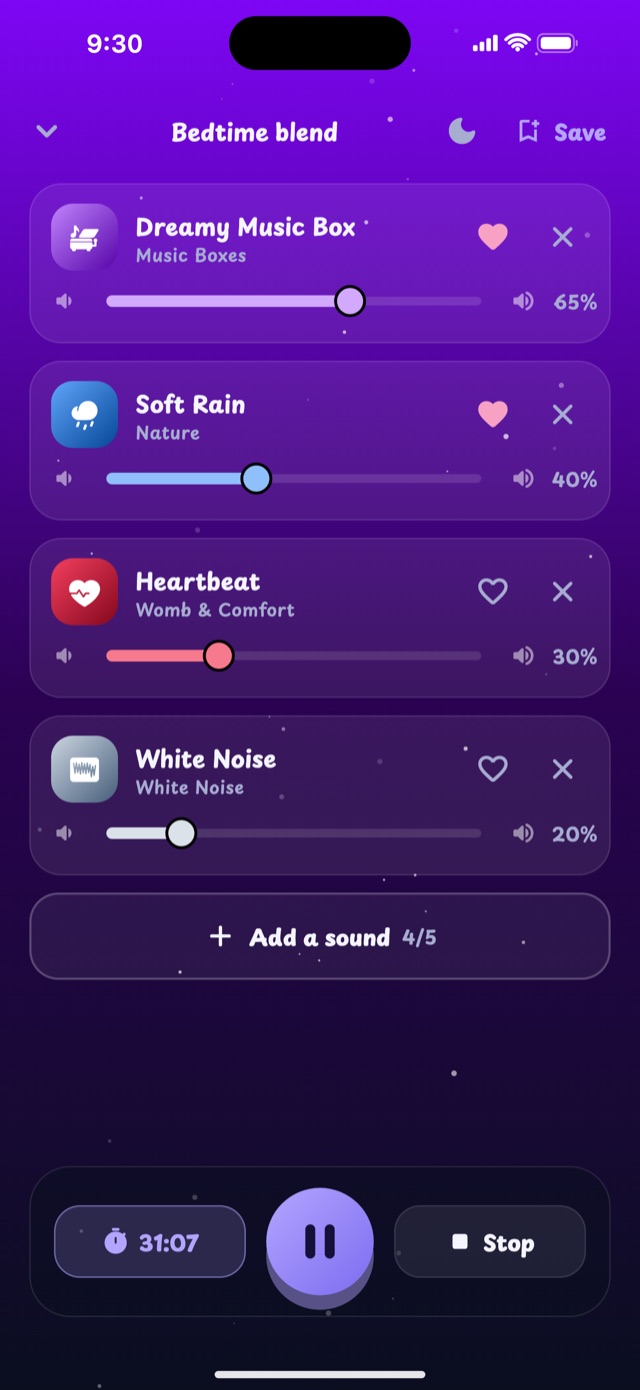
Layer up to 5 sounds and set each volume. Rain + fan + a soft music box? Save it and play it again with one tap.
17 curated blends for newborns, deep sleep, rainy nights, the outdoors and life on the go.
15 minutes to 2 hours, a custom time or “until I stop it”. At the end, sounds fade out over 45 seconds — never an abrupt stop.
A near-black screen with a faint moon and the time, so the phone can sit on the nightstand without lighting up the room.
Keeps going in the background. Pause or stop from the lock screen, the notification or your headphones.
No account, no sign-up. Your favourites, recent sounds and saved mixes stay on your phone.
English, Ελληνικά, Español and Italiano — or simply follow your phone’s language.
Take a look
A dark, calm interface with big targets you can hit with one hand while holding a baby.
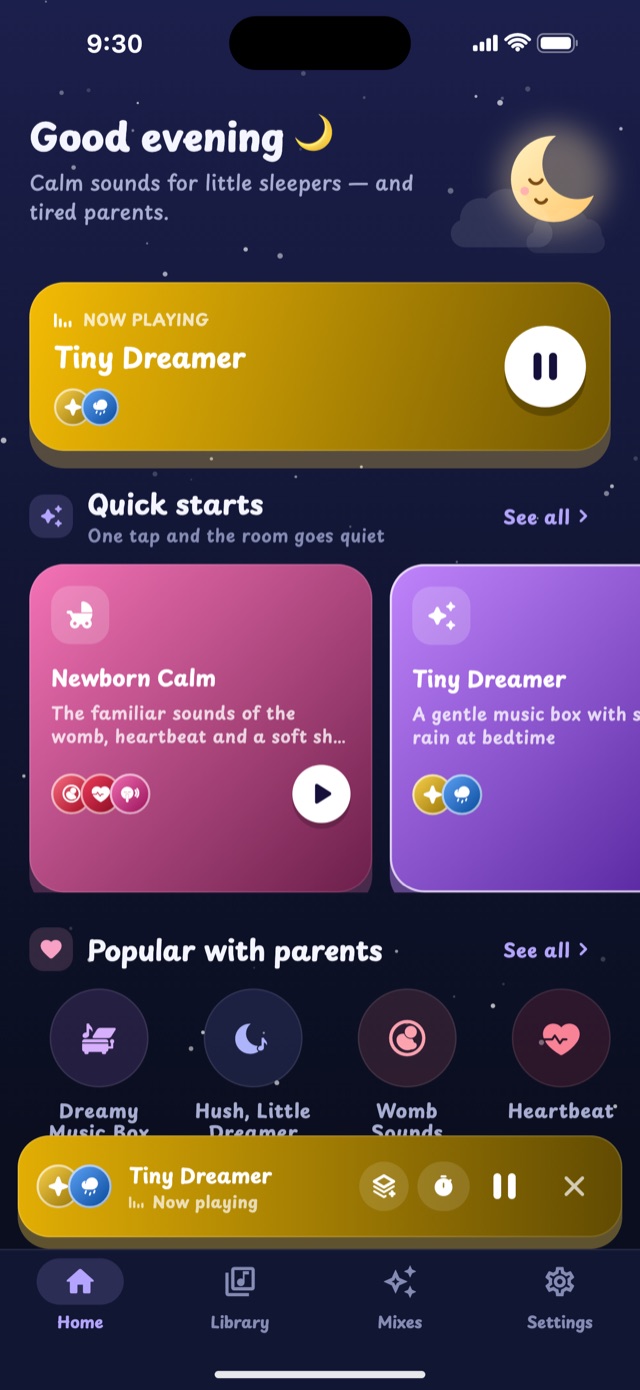
Quick starts and the sounds parents love most.
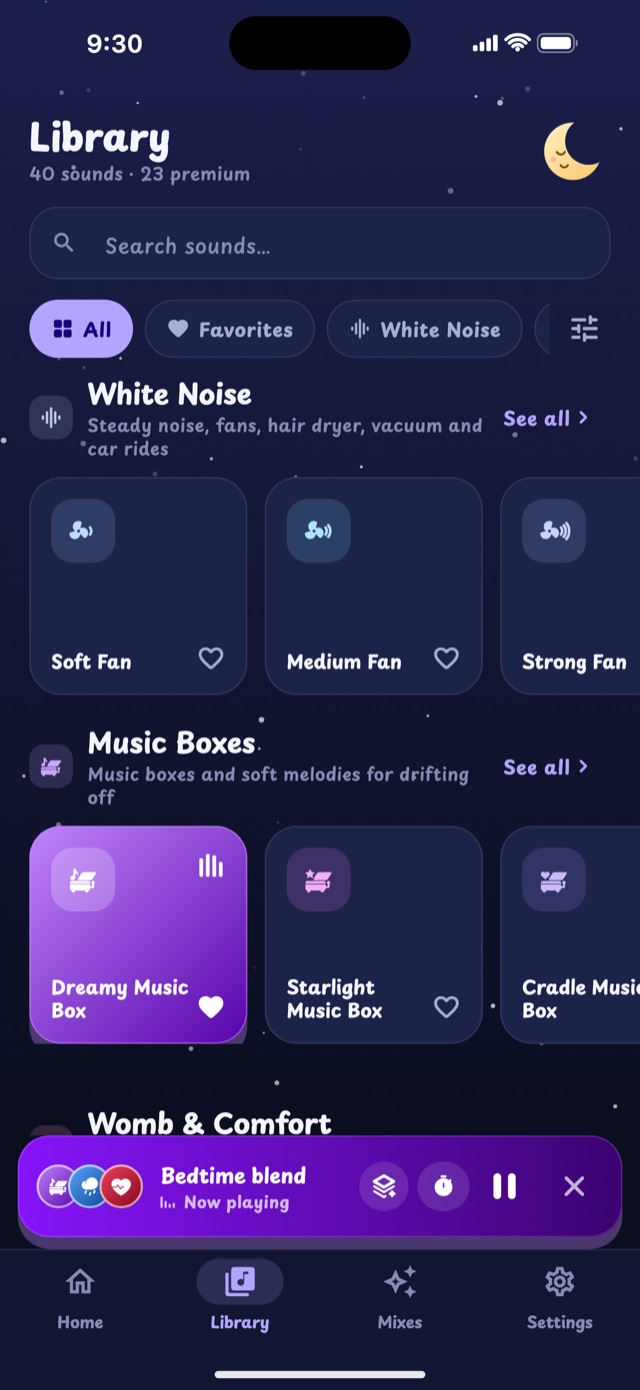
Search, favourites and four categories.
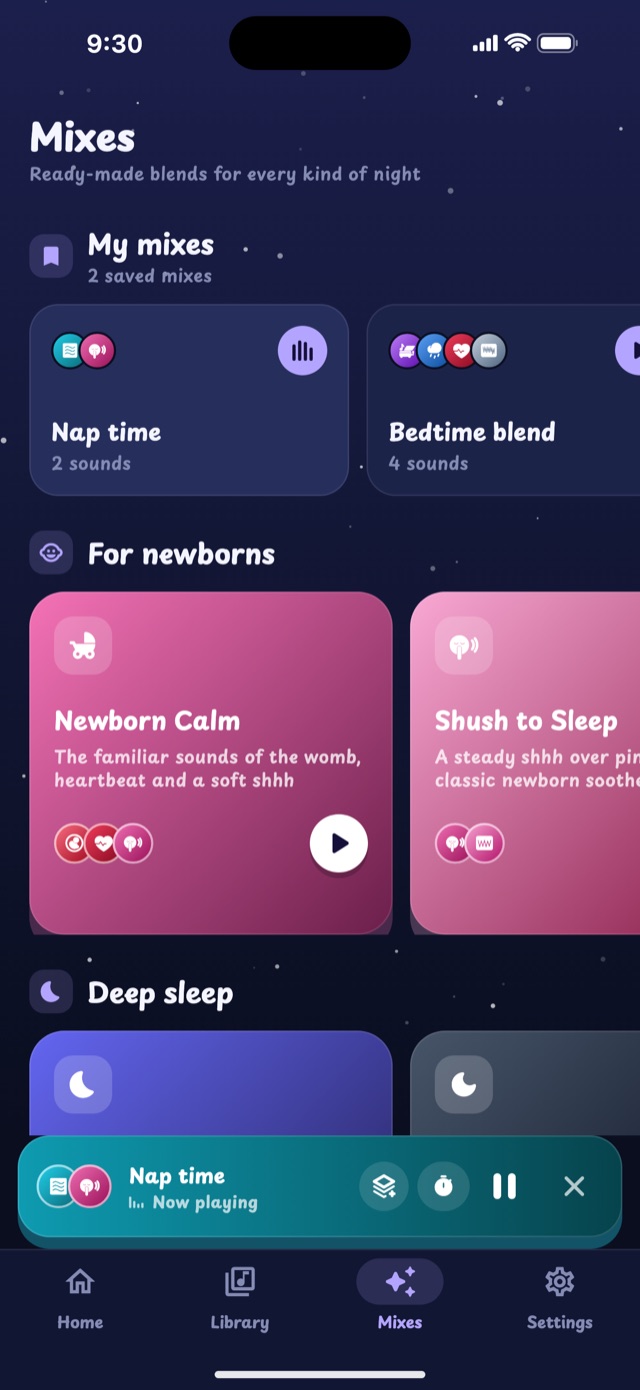
Ready-made blends for every kind of night.
Up to 5 sounds, each with its own volume.
How it works
Start with a quick start on the home screen, or browse the library.
Add sounds, balance the volumes, choose how long it should play.
Dim the screen with the night light. When time is up, the sound fades away gently.
Sleep tips
Start the sound before baby is fully asleep, so it becomes part of the routine rather than a surprise.
Keep the volume around the level of a soft shower — roughly 50 dB — and place the phone at least a metre from the crib.
Newborns love womb-like sounds: shushing, heartbeat and low rumbles remind them of home.
A consistent bedtime routine — bath, feed, dim lights, sound — tells the body it is time to wind down.
Use the sleep timer with a fade-out so the room never goes silent abruptly.
Mixes with a steady base (fan, rain) plus a gentle melody on top help babies fall asleep and stay asleep.
These tips are general information, not medical advice. Always follow safe-sleep guidance and talk to your paediatrician about any sleep concerns.
Questions
Yes. Lullaby keeps playing in the background, and you can pause or stop it from the lock screen, the notification or your headphones. On some Android phones, aggressive battery saving can stop background audio: open Settings → Apps → Lullaby → Battery and allow unrestricted use.
Subscriptions are managed by Apple and Google. On iPhone: Settings → your name → Subscriptions (or apps.apple.com/account/subscriptions). On Android: Google Play → profile → Payments & subscriptions → Subscriptions (or play.google.com/store/account/subscriptions). Cancel at least 24 hours before the renewal date. Deleting the app does not cancel a subscription.
No. There is no sign-up and no login. Your settings, favourites and mixes are stored only on your device.
Ads keep the free version free. They are muted, limited to family-friendly (G-rated) content and kept to a minimum: none in the first moments after you open the app, and no more than one full-screen ad every few minutes. Premium removes them completely.
Yes. All sounds are built into the app, so they play without a connection — even in airplane mode.
Download Lullaby for free and find the sound that works for your little one.